Thursday, 31 May 2012

Arduino, Processing & The Modular (Part 3)

So now we have hardware which sends out a clock pulse and a random voltage. Well, I say 'random', but it's now more of a varying voltage. At any point it can go up or down from its current value by a limited amount. If the values go above the mximum they revert to 0 and go on from there. If they fall below 0 they go to the max value and go on from there. This can all be visualized at pretty close to real time in various ways using Processing code running on the PC to which the Arduino is connected by USB.


Processing watched for an incoming serial stream and plots the points with x being time and y being voltage.

Arduino, Processing & The Modular (Part 2)

Once the final stage of adding a potentiometer to control the clock rate had been proved to work I set about rigging up a simple aluminium faceplate to hold the jack sockets, LEDs and potentiometer in place. I added an extra pot, LED and socket for future use. The knob next to the red LED changes the clock rate. The other 2 knobs are unused. Soldering the Arduino's 'tipped' patch leads to the front panel components allowed for easy subsequent repatching on the breadboard.


Arduino, Processing & The Modular (Part 1)

My next experiment is a hardware and software combo. An Arduino Leonardo microcontroller (which I was lucky enough to win last week in a competition run by the fantastic Arduino store oomlout.co.uk) programmed and hooked-up to talk to my modular synth and also to the computer. The first stage involved getting to grips with the Arduino's PWM analog output. This was unusable for control voltage generation as it's really buzzy. It needed filtering so I experimented with a simple RC filter circuit on the breadboard and found a resistor/capacitor combination that works pretty well (further work needed as it slews quite alot - I'm running it through the modulars sample & hold module to reduce that further.). Next came a visual indication of the random output voltage by means of a green LED. Then a clock output visualized with a red LED was added.


With each clock pulse the Arduino's code sends the text value of the random voltage out via USB to the PC to allow it to be picked-up by a Processing application that's watching for this data stream.


Thursday, 19 April 2012

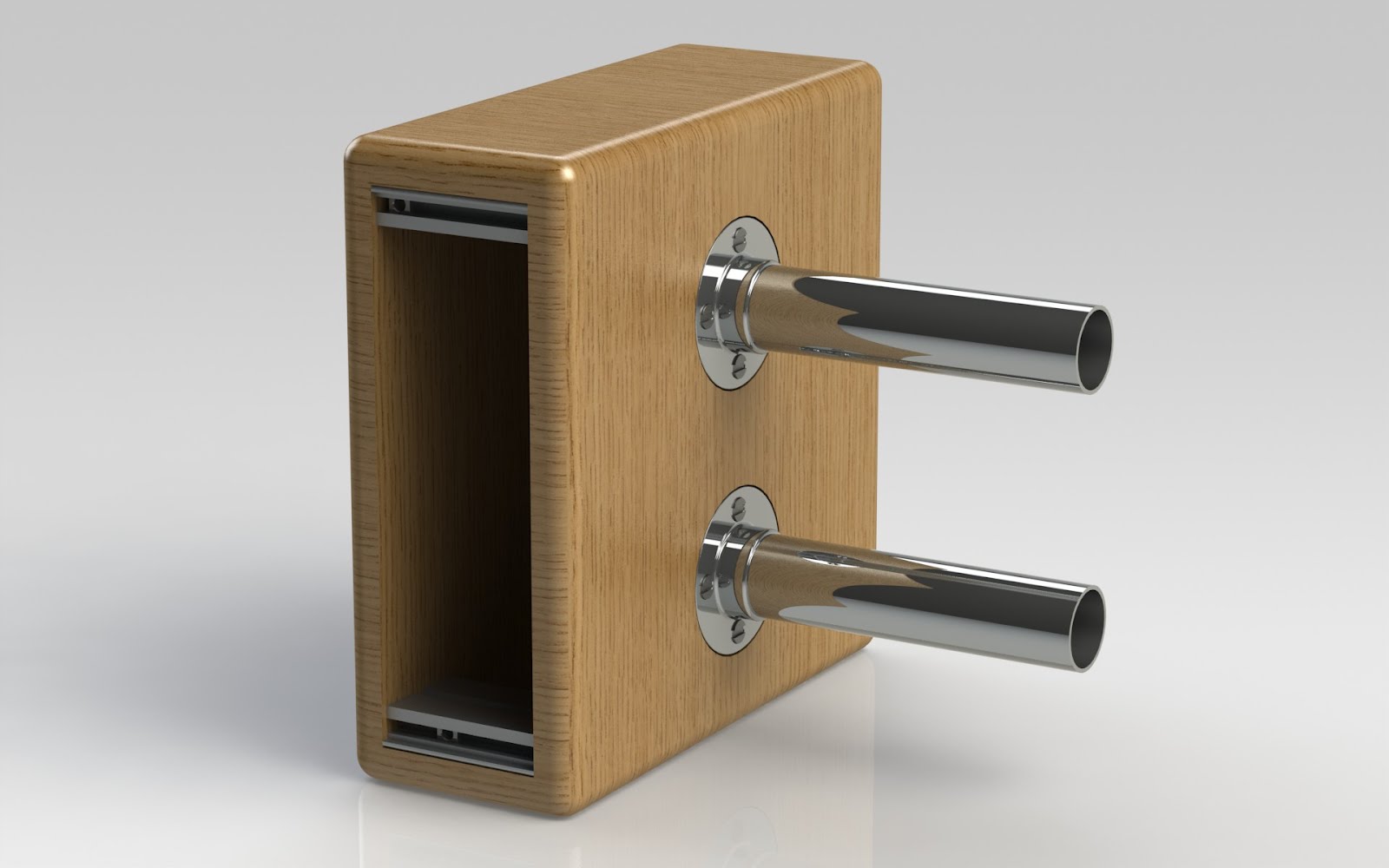
Doepfer LC9 Extension Box for Theremin Module


8HP extension box for Doepfer LC9 case to allow for positioning of Doefper A-178 Theremin (or other) modules outside of the main enclosure. Power to run through lower metal cylinder via a longer than normal ribbon cable.

Friday, 2 July 2010

Monday, 19 October 2009

Thursday, 1 October 2009

AH: DIY Euro Rack (Work In Progress)

400+ HP Euro rack designed and built by Tony Horsman. This is a work in progress - the outer frame shown is temporary.


Monday, 20 July 2009

The 'Horsman Generator' goes public...


Published on MatrixSynth blog, July 20th 2009:

"My as yet unnamed windows application presents an interface based on a traditional 5U modular analog synthesizer system. In conjunction with a low-cost, off-the-shelf USB digital to analog converter, it produces two control voltages in the range 0 to +5V, gates and MIDI data. The voltages produced correspond to the values generated by the on-screen oscillators. Each oscillator (there are 4 standard oscillators plus one that outputs the overall maximum voltage and one that sends overall minimum) has ten different wave patterns available - sine, sawtooth, ramp, square, S&H, sine+sine, rectified sine etc. Also there is an area of the screen where the user can manually draw a waveform, smooth it, invert it, loop it etc. This can then be assigned to any or all oscillators. The wave type can be selected by MIDI CC messages (I use a Behringer BCR2000 to send the CC data). Other parameters that can be selected by MIDI CC are wave amplitude, offset, upper and lower clip levels, frequency and cycle skip. These can be manipulated on-screen too. Each oscillator can be chosen to be the source for CV1 or CV2 output voltages. Additionally the oscillator output is available as MIDI CC streams. The output from one oscillator can be patched into other oscillators to control that oscillator's parameters using the patch matrix module. In this way, complex waveforms can be created.

If you click on part of the screen and drag upwards the oscillator modules scroll up to reveal a 64 step sequencer. This can send MIDI note data and also real CV/trigger signals. All of the CVs and triggers are presented as 3.5mm mono jack sockets at my 'Tobacco Tin Interface' for patching into 'real world' analog synth modules.

The program is still in its infancy with lots of work to do and features to implement (look out for YouTube uploads soon) - and as such I'm really interested in any feedback and ideas that the synth community might have to offer."

Richard Horsman